

Edit video clips, sequence audio tracks, and generate AI video scenes from text prompts or still images directly in your browser without software installation.
Starting price Free / $29.90/mo

Tool Information
Overview and architecture
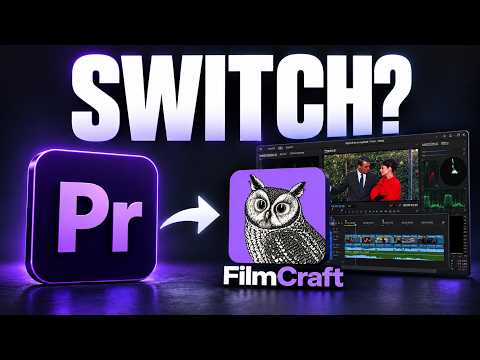
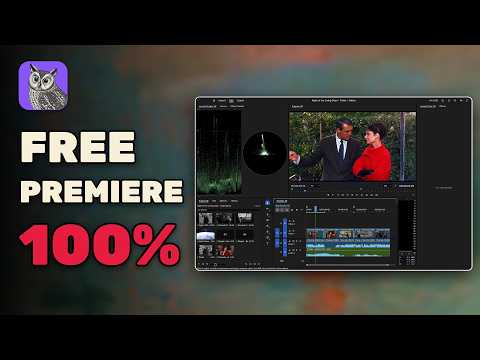
FilmCraft is a web-based video production suite designed to bridge the gap between traditional non-linear editing software and cloud-hosted generative artificial intelligence. Built around an interface reminiscent of desktop editing suites like Adobe Premiere Pro, the platform runs in modern browsers using WebAssembly and WebCodecs for local playback, track compositing, and timeline scrubbing without requiring heavy desktop installations.
Architecturally, FilmCraft functions as a dual-engine production environment. The manual editing core operates client-side inside the user’s browser, handling video splitting, transitions, audio mixing, and color grading at zero credit cost. When creators require synthetic footage, character motion, or image-to-video animations, FilmCraft routes prompt instructions and reference media to cloud inference clusters powered by MiniMax, Kling, Wan, and Kie Seedance 2.5. Rendered synthetic clips appear directly in the project bin for immediate timeline insertion.
Key capabilities and video modules
FilmCraft integrates comprehensive editing and generative features within a modular multi-panel workspace:
- Multi-track non-linear timeline: Arrange video, image overlays, and audio tracks with precision snapping, ripple trimming, split edits, and clip speed controls.
- Generative text-to-video and image-to-video: Prompt remote foundation models to generate original B-roll footage, cinematic establishing shots, or animated transitions directly from the interface.
- Audio clip mixer and visual effects: Multi-channel volume leveling, panning, Lumetri-style color adjustment wheels, and keyframed property automation.
- Project container management: Save timeline arrangements in native project files with the fcproj format up to 10 MB, and export final renders in MP4, WebM, or PNG sequence formats up to 90 MB.
- Trending template studio: Pre-built dance, runway, and parody video templates that automatically synchronize facial references with choreographed audio tracks.
- Transparent escrow credit safety: Real-time quote preview before generation with atomic reservations that return credits immediately if remote clusters report an error.
Competitor comparison
Compare FilmCraft with other prominent online editors and traditional desktop suites:
Practical use cases and target audiences
FilmCraft caters to content creators who require speed, professional controls, and flexible access from any workstation:
- Social media creators: Edit fast vertical clips for TikTok, YouTube Shorts, and Instagram Reels with rapid cutting and auto-sync templates.
- Digital marketing agencies: Generate customized promotional video variants, apply brand color palettes, and assemble client drafts without maintaining expensive local render hardware.
- Independent vloggers and podcasters: Assemble multi-track interview recordings, balance dual audio channels, and export web-ready MP4 files directly from the browser.
- Creative directors and storytellers: Create visual animatics and mood reels by mixing generated AI scene previews with live footage.
Hardware, quota and file limitations
While FilmCraft removes the need for local desktop software installation, web-based processing has practical operational boundaries:
- Export file size caps: Free browser exports support MP4, WebM, and PNG sequence formats up to 90 MB per file.
- Project file storage: Native project files (fcproj) store up to 10 MB of timeline instructions. Large original source videos remain stored locally or in connected cloud accounts.
- Browser memory usage: Because track decoding and composition utilize WebCodecs in browser memory, editing multiple 4K streams on systems with less than 8 GB of RAM can cause browser tab slowdowns.
- AI generation limits: Synthetic video clips render in preset durations (standardly 5 to 10 seconds) and fixed resolutions (480p or 720p) depending on selected model parameters.
Pricing breakdown
FilmCraft operates on a freemium model. All manual timeline operations, clip cutting, color adjustment tools, and file exports are completely free. Generative AI tasks operate on a credit basis via monthly/annual plans or one-time packs:
*Pricing and plan details verified as of October 2026.
Implementation and onboarding pipeline
Follow this 4-step workflow to edit and export your first video in FilmCraft:
- Launch the workspace: Visit filmcraft.tools and immediately open the browser editing interface without mandatory software downloads.
- Import and arrange media: Drag video footage, background music, and voice tracks into the media bin, then place them across the multi-track timeline.
- Perform cuts and color adjustments: Use keyboard hotkeys to slice unwanted sections, apply Lumetri color scopes, and adjust audio levels.
- Generate synthetic shots and export: If additional shots are needed, open the AI video generator, input your prompt, preview the credit quote, and render. Export your final project to MP4 or WebM format.
The Verdict
- Best for: Creators, marketers, and video editors seeking a free, powerful in-browser Premiere Pro alternative equipped with optional cutting-edge generative video capabilities.
- Not recommended for: Long-form 4K feature film post-production requiring dedicated hardware acceleration or complex offline master tape exports.
- Learning curve: Low to moderate. Anyone with prior NLE experience will feel at home with the panels and hotkeys, while newcomers benefit from the clean web layout.
- Value threshold and ROI: Outstanding value. The manual timeline is completely free, making AI credit purchases entirely optional for users who only need traditional video editing.
- Bottom line: A responsive, well-engineered web studio that successfully marries professional timeline editing with flexible cloud generative AI tools.
F.A.Q
Pros and Cons
Pros
- Full-featured multi-track non-linear video editing available directly in the browser for free
- Generates synthetic video clips from text prompts or still images via integrated frontier models
- Preserves projects locally and in cloud storage with native project file exports up to 90 MB
- Comprehensive audio mixer, color correction scopes, and keyframe property controls included
- Integrated access to models including MiniMax, Kling, Wan, and Seedance without setting up local hardware
Cons
- AI generations consume credits requiring paid subscriptions or standalone top-up packs
- Complex multi-panel interface requires familiarity with standard desktop editing layouts
- Browser memory limitations can impact rendering performance on long high-bitrate sequences
Reviews
There are no reviews yet. Be the first one to write one.


Alternative tools

Descript is an AI video and audio editor that edits recordings like a text document, featuring Underlord AI co-editor, Studio Sound, and instant transcription.
2026-08-22
Freemium / $16-$50/mo

Veo 3.1 is Google DeepMind's generative video model producing cinematic 4K video clips, fluid motion, and camera trajectories via Vertex AI and AI Studio.
2026-08-22
Developer API ($0.75/sec) / AI Plans ($20-$250/mo)

Vmake Labs is an AI social video and e-commerce studio that turns product photos into viral UGC ads, shoppable videos, and high-resolution assets.
2026-08-28
Free / $12.99/mo

Vizard AI is a video repurposing and text-based video editor that converts webinars, podcasts, and recordings into short vertical clips with animated subtitles.
2026-08-22
Free / $10.66/mo

AI video background removal platform that isolates subjects from video footage to export transparent WebM clips and custom solid-color backgrounds without a green screen.
2026-11-02
Freemium / $4.99

Video Watermark Remover is an AI-powered web tool that cleanly removes logos, text, and watermarks from videos using spatio-temporal neural inpainting without blurring.
TBD
Freemium / $9.99/mo