

Converts PDFs, notes, and essays into TikTok-style brainrot videos with gameplay backgrounds, animated subtitles, and AI voice narration.
Starting price Free / $9.90 one-time (100 credits)

Tool Information
Overview and architecture
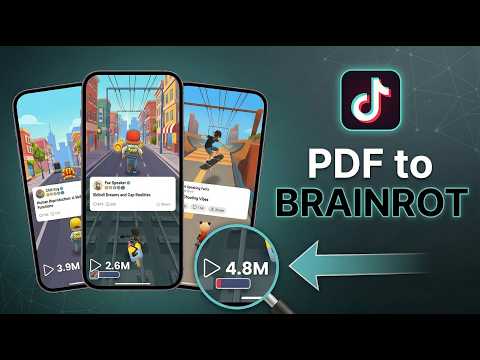
PDF To Brainrot AI is a specialized content repurposing tool designed to transform static study materials into fast-paced, vertical short-form videos. While traditional summarization utilities generate bulleted text or static slide decks, this platform converts dense textbooks, academic lecture notes, and essays into TikTok-style clips. The generated videos combine voiceover narrations with popular gaming background footage such as Minecraft parkour, Subway Surfers runs, and dynamic animated subtitles.
The technical architecture operates on a multi-stage pipeline. When a user uploads a document, the document parser extracts key concepts, structural headings, and central arguments. An integrated language model then scripts a condensed, conversational dialogue infused with modern internet colloquialisms and viral meme formats. The rendering pipeline pairs this script with synthetic text-to-speech narration, aligns word-by-word animated captions, and composites the audio over looping high-definition gameplay clips. The resulting vertical video renders directly in the cloud, allowing users to preview or download complete MP4 files without local video editing software.
Key capabilities and tools
- Multi-source input support: Converts uploaded PDF documents, raw text blocks, external URLs, essays, and notes into short videos.
- Automated video scripting: Extracts essential textbook information and condenses it into concise, comedic dialogue structured for retention.
- Synced dynamic subtitles: Generates animated, color-highlighted captions that sync with spoken audio to keep viewer focus locked on key terminology.
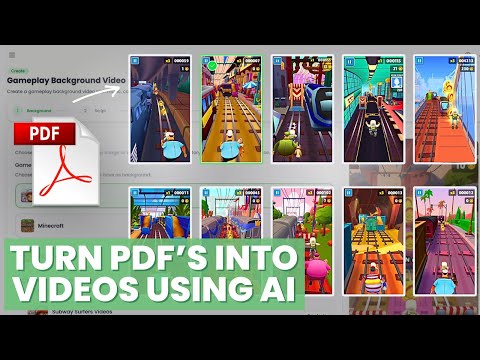
- Split-screen gaming footage: Composites educational audio over popular vertical gaming clips including Minecraft and Subway Surfers.
- Custom media integration: Enables creators to upload their own background tracks or select royalty-free audio from the built-in library.
- No-install browser workspace: Executes all parsing, audio synthesis, and video rendering tasks on cloud servers with zero client hardware load.
- One-click MP4 export: Produces ready-to-publish vertical 9:16 videos tailored for TikTok, Instagram Reels, and YouTube Shorts.
Competitor comparison
| Dimension | PDF To Brainrot | Revid AI | StudyFetch |
|---|---|---|---|
| Core output format | Vertical brainrot meme clips with gameplay footage | General automated TikTok shorts and AI avatars | Study podcasts, flashcards, and interactive quizzes |
| Billing structure | Pay-as-you-go credits starting at $9.90 one-time | Monthly recurring subscriptions starting at $39/mo | Monthly educational plans from $15/mo |
| Free tier access | Free trial daily credits with shared render queue | Limited watermarked trial video | Free basic notes with credit caps on audio |
| Target objective | Viral micro-learning and social media humor | Marketing short video generation at scale | Structured academic exam preparation |
Practical use cases and target audiences
PDF To Brainrot AI addresses specific learning and social media creation workflows:
- Students battling study fatigue: Turn dense biology, history, or law textbook chapters into digestible two-minute video summaries that hold attention during revision.
- Social media creators: Build viral educational TikTok and YouTube Shorts channels by feeding research papers or historical timelines into the generator.
- Casual learners and visual thinkers: Absorb complex concepts through high-stimulation visual formats rather than pages of uninterrupted text.
- Educators testing new formats: Create unconventional teaser clips to introduce curriculum topics to digital-native classrooms.
Hardware, quota and file limitations
Because rendering takes place on cloud infrastructure, the platform functions on mobile browsers, Chromebooks, and standard office laptops without discrete GPU requirements. Users only need a stable internet connection to upload files and download rendered MP4 videos.
Free users access 30 total credits at a rate of 1 generation credit per day via a shared processing queue. The free tier includes on-screen advertisements. Paid credit bundles grant priority queue placement, ad-free operation, and full resolution video downloads. Processing times typically range from 60 to 180 seconds per video depending on server load.
Pricing breakdown
| Plan tier | Cost | Credit allowance | Features and limits |
|---|---|---|---|
| Free | $0.00 | 30 Credits total (1 credit per day) | Shared generation queue, video downloads, ad-supported interface |
| Basic | $9.90 one-time payment | 100 Credits ($0.10 per credit) | Priority generation queue, clean ad-free workflow, full video downloads |
| Popular (Best Value) | $49.00 one-time payment | 1,000 Credits ($0.05 per credit) | Priority generation queue, lowest per-credit cost, zero subscription lock-in |
*Pricing and plan details verified as of October 2026.
Implementation and onboarding pipeline
- Upload source material: Navigate to pdftobrainrot.org and drag your PDF document, article link, or text passage into the generator box.
- Configure video elements: Select your preferred narrator voice, background video theme (such as Minecraft or Subway Surfers), and optional music track.
- Render the clip: Click generate to initiate the cloud processing pipeline, which scripts the narrative, records speech, and composites visuals.
- Review and download: Play back the completed vertical video in your browser and download the MP4 file for studying or social sharing.
Editorial verdict
Best for: Students, educators, and social creators looking to convert dry informational texts into humorous, attention-grabbing short videos for TikTok or revision.
Not recommended for: Formal legal briefs, medical diagnosis summaries, or professional corporate documentation requiring serious presentation.
Learning curve: Low. The web portal requires no editing expertise, handling scriptwriting and video composition automatically.
Value threshold and ROI: Solid. The one-time $9.90 credit tier provides an affordable alternative to monthly subscriptions for casual creators.
Bottom line: PDF To Brainrot AI combines modern meme culture with automated text-to-video synthesis, delivering an unconventional but effective micro-study format for digital natives.
F.A.Q
Pros and Cons
Pros
- Transforms dry academic PDFs into engaging short-form videos with gameplay visuals
- Features synchronized word-by-word animated subtitles to maintain reader focus
- Operates on non-recurring credit packages without monthly subscription commitments
- Includes free daily generation credits without mandatory credit card registration
- Supports multiple input formats including PDFs, raw text, and article URLs
Cons
- The format is specialized for meme learning and unsuited for formal corporate presentations
- Free tier includes on-screen advertising and shared queue wait times
- Complex diagrams and mathematical formulas in technical PDFs may be simplified
Reviews
There are no reviews yet. Be the first one to write one.
How To Turn PDFs Into Brainrot Videos
How To Turn PDFs Into Brainrot Videos with Gameplay Backgrounds
Author

Promote

Alternative tools

Create custom face swap clips from portrait photos. Select trending dance, runway, or music video templates, pick aspect ratios, and generate high fidelity video content online.
2026-10-30
Paid / $29.90/mo

Add authentic OpenAI Sora style watermarks to any video directly in your browser with zero server uploads.
2026-10-03
Free

Everygen AI is a browser-based AI video and image generator routing to leading models like Veo 3.1, Seedance 2.5, Kling 3.0, and Wan 3.0.
2026-10-14
Paid / $9.90

Vidmage AI is a dual-platform generative video and face swap solution offering high-clarity photo, video, and real-time macOS camera replacement with multi-model video synthesis.
2026-09-28
Freemium / $14.99/mo

Unified AI creative studio integrating video, image, music, voiceover, and agent workflows under a single shared credit ledger. Supports models including Seedance, Wan, Kling, GPT Image, Suno, and ElevenLabs.
2026-10-20
Freemium / $9.99/mo

AI video tool that turns a single portrait photo into an animated 15-second angry dance video with a free preview and one-time unlock packs.
2026-10-31
Freemium / $7.99 pack