

Quso AI (formerly vidyo.ai) is an automated video repurposing and social scheduling platform. The software converts long-form podcasts, webinars, and YouTube videos into short-form clips with dynamic captions, AI B-roll inserts, virality scoring, and multi-platform publishing.
Starting price Freemium / $29.00/mo

Tool Information
Overview and architecture
Quso AI represents the full rebranding and platform expansion of vidyo.ai, a widely adopted video repurposing engine originally launched to help creators turn long-form video content into short social media clips. The platform operates as an end-to-end content syndication hub, combining computer vision, automatic speech recognition, and natural language processing to extract high-retention segments from podcasts, webinars, interviews, and live streams.
The processing architecture begins with speech-to-text transcription paired with semantic audio analysis. Proprietary IntelliClips algorithms scan the transcript for narrative hooks, emotional peaks, and thematic conclusions while assigning a predictive virality score. Simultaneously, CutMagic facial detection and scene analysis track speakers across widescreen frames, automatically cropping and reframing footage into vertical (9:16), square (1:1), or widescreen (16:9) formats. Once clips are rendered, an integrated social content scheduler dispatches finalized video assets directly to connected creator profiles via official social network APIs.
Key capabilities and functional modules
- IntelliClips soundbite extraction: Evaluates long video recordings and automatically isolates the most impactful 30 to 90 second clips based on pacing and retention potential.
- Predictive virality scoring: Rates extracted clips on a 1 to 100 scale, highlighting top hook segments to prioritize for social distribution.
- CutMagic smart reframing: Uses face detection to follow active speakers in multi-person interviews, maintaining centered composition without manual keyframing.
- Dynamic caption styling: Generates animated karaoke-style subtitles in over 50 languages, complete with customizable fonts, colors, and Alex Hormozi style text highlights.
- Contextual B-roll integration: Automatically overlays relevant B-roll footage from an integrated asset library to illustrate abstract concepts and retain viewer attention.
- Filler word and silence removal: Scans spoken dialogue to eliminate awkward pauses, repeated phrases, and verbal filler words like “um” and “uh” with a single click.
- Omnichannel social scheduler: Schedules and automatically publishes finished clips to seven platforms, including TikTok, Instagram Reels, YouTube Shorts, Facebook, LinkedIn, Pinterest, and X.
- Viddy AI writing assistant: Drafts platform-tailored post descriptions, relevant hashtags, and SEO-friendly show notes derived directly from video transcripts.
Competitor comparison
Evaluating Quso AI alongside specialized video clipping engines reveals distinct differences in workflow integration and social publishing scope:
| Feature Dimension | Quso AI | Opus Clip | Munch |
|---|---|---|---|
| Social Publishing | Native calendar and multi-network scheduler across 7 platforms | Social scheduler available on Pro tiers | Direct publishing to major social platforms |
| Free Plan Allowance | 75 minutes monthly with no watermark (720p) | Free trial credits, watermark on free tiers | Paid trial model without permanent free monthly tier |
| Reframing Engine | CutMagic multi-speaker tracking with split-screen modes | Auto-reframe and dynamic camera switching | AI smart cropping focused on topic coherence |
| Starting Paid Price | $29.00 / month (or $14.50 / month billed annually) | $19.00 / month ($9.50 / month billed annually) | $49.00 / month standard entry tier |
Practical use cases and target audiences
- Podcasters and broadcast interviewers: Creators turning weekly 60-minute studio interviews into 10 to 15 short teaser clips for social media distribution.
- Corporate marketing departments: In-house teams converting recorded customer webinars and product demonstrations into LinkedIn thought-leadership videos.
- Content marketing agencies: Social media managers handling multiple client accounts who require centralized brand kits, template libraries, and bulk scheduling.
- Online educators and coaches: Course creators extracting standalone lessons, quick tips, and student testimonials from longer video masterclasses.
- Independent YouTube creators: Solo creators wishing to populate YouTube Shorts and TikTok simultaneously without spending hours in Premiere Pro or DaVinci Resolve.
Hardware, quota and operational limitations
- Resolution limitations on entry tiers: Free users receive 720p video exports; uncompressed 1080p full HD rendering requires an active Lite, Essential, or Growth subscription.
- Data retention caps: Completed projects on the free plan are stored for 7 days before automated cleanup, whereas paid plans offer persistent cloud storage from 10GB up to 75GB.
- Processing credit consumption: Credits are deducted per minute of processed source footage (1 credit equals 1 minute of ingested long-form video), meaning 2-hour podcasts consume 120 credits.
- Browser-based rendering performance: Very long source files exceeding 3 hours or complex 4K recordings can experience extended server-side rendering queue delays.
- Cloud-only architecture: Requires steady broadband connectivity for uploading massive multi-gigabyte video files to cloud processing clusters.
Pricing breakdown and plan tiers
Quso AI operates on a tiered subscription model structured around monthly source video processing minutes, storage allowances, and platform integrations:
| Plan Name | Monthly Billing | Annual Billing (Discounted) | Credits & Key Features |
|---|---|---|---|
| Free | $0.00 / mo | $0.00 / yr | 75 credits/mo, 720p quality, CutMagic, auto-chapters, TikTok publishing, 7 days retention |
| Lite | $29.00 / mo | $14.50 / mo ($174/yr) | 100 credits/mo, 1080p clips, advanced desktop editor, multi-aspect exports, 10GB storage |
| Essential | $39.00 / mo | $19.50 / mo ($234/yr) | 300 credits/mo, 7-platform scheduler, filler word removal, Content Planner, 25GB storage |
| Growth | $49.00 / mo | $24.50 / mo ($294/yr) | 600 credits/mo, custom Brand Kit, Viddy AI assistant, custom templates, analytics, 75GB storage |
*Pricing and plan details verified as of October 2026.
Implementation and onboarding pipeline
Setting up an automated video repurposing workflow in Quso AI requires four clear steps:
- Import source media: Paste a public YouTube video link or upload a local video file (MP4, MOV) directly into the dashboard.
- Review AI-selected soundbites: Browse the generated short clips organized by virality score, previewing automatically generated subtitles and speaker reframing.
- Customize branding and subtitles: Apply your brand colors, adjust caption animation styles, insert B-roll overlays, and trim unwanted sections in the visual editor.
- Schedule and publish: Connect your social channels (TikTok, Instagram, YouTube, LinkedIn) and schedule the finalized clips across your content calendar.
Structured editorial verdict
Best for: Podcasters, digital agencies, and video creators seeking an all-in-one platform to turn long recordings into viral vertical clips while managing multi-platform scheduling from a single dashboard.
Not recommended for: Filmmakers needing granular frame-by-frame color grading, keyframe masking, or intricate visual effects, where timeline-based NLEs remain indispensable.
Learning curve: Low. The web application is intuitive and automated, allowing beginners to produce social-ready clips within minutes of uploading a video link.
Value threshold and ROI: Outstanding time savings. By automating transcription, speaker framing, subtitle styling, and social posting, creators eliminate 5 to 10 hours of manual editing per podcast episode.
Bottom line: Quso AI builds successfully on vidyo.ai’s foundation, transforming simple video clipping into a full-featured social syndication workspace that delivers high ROI for content-driven businesses.
F.A.Q
Pros and Cons
Pros
- Automated detection of engaging soundbites using IntelliClips and virality scoring
- Dynamic animated caption presets with word-level highlighting and multi-language support
- Built-in CutMagic technology for automatic speaker tracking and vertical reframing
- Direct multi-platform scheduling across TikTok, Instagram Reels, YouTube Shorts, and LinkedIn
- Generous free starter plan offering 75 processing credits per month without a watermark
Cons
- Free plan limits video export rendering resolution to 720p
- Full social scheduling and multi-platform publishing requires Essential or Growth tiers
- Processing speeds can slow down during peak cloud rendering queue congestion
Reviews
There are no reviews yet. Be the first one to write one.
How To Use quso.ai | Get Started with quso.ai in 2 Minutes
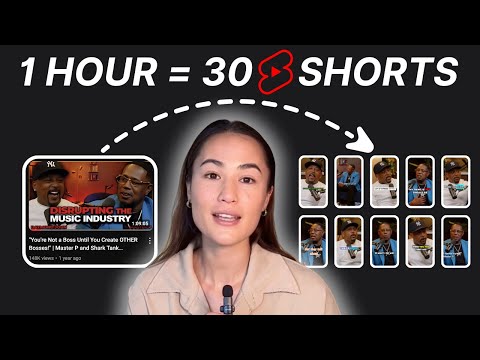
How To Turn YouTube Videos Into Viral Shorts? [Tutorial] | quso.ai
Author

Promote

Alternative tools

Gemini Omni 1.1 Flash is Google DeepMind's generative video model with conversational editing, physics simulation, 40s scene extensions, and native 4K upscaling.
2026-08-27
Free / Freemium

Submagic is an AI short-form video editor that generates animated captions, context-aware B-roll overlays, auto-zooms, and sound effects for TikTok, Shorts, and Reels.
2026-08-22
Free / $16.00/mo

Free Gemini Omni is an independent multimodal AI video platform and API gateway providing text-to-video, image animation, and clip remixing on a credit model.
2026-09-27
Freemium / $9.90 (Credits)

Send any vehicle or driver up the Tesla Roadster ramp flip, traffic escape, and police stop with one photo using ByteDance Seedance video diffusion.
2026-10-21
Free / $4.99

Turn any portrait or pet photo into a viral State Property meme video with synchronized English dialogue and lip sync.
2026-10-16
Paid / $9.90

Search engine and video index that plays movie and television dialogue clips matching any entered quote, actor, or language level.
2026-10-04
Freemium / $3.00/mo