

Seedream 4.0 is a multimodal image generation and editing platform powered by ByteDance visual diffusion architecture. It provides rapid text-to-image synthesis, multi-reference character consistency, natural language image manipulation, and native 4K output for creators and design teams.
Starting price Freemium / $9.90/mo

Tool Information
Overview and architecture
Seedream 4.0 is a multimodal visual generation and editing platform built on ByteDance diffusion transformer foundations. Unlike older systems that separate image generation from image editing, Seedream 4.0 unifies both tasks within a single neural pipeline. The model interprets contextual prompts, spatial relationships, and reference assets simultaneously, which reduces rendering artifacts and semantic drift.
The system is optimized for speed, producing 2K visual assets in approximately 1.8 to 2.0 seconds. It supports native resolutions up to 4K without requiring external post-processing pipelines. By combining latent diffusion with attention-guided conditioning, Seedream 4.0 gives digital artists, marketing teams, and content creators a direct path from textual concept to print-ready graphic assets.
Key capabilities and core modules
The web platform organizes its visual toolset into distinct functional modules:
- Text-to-image synthesis: Converts descriptive natural language prompts into photorealistic photographs, digital illustrations, concept art, and product mockups.
- Natural language image editing: Allows users to modify existing images by typing plain text instructions. You can swap garments, replace background environments, adjust lighting temperature, or add specific props without manual polygonal masking.
- Multi-reference consistency engine: Accepts several reference images at once. The model isolates face geometry, clothing textures, and artistic style to reproduce identical characters across distinct narrative compositions.
- Batch generation pipeline: Processes multiple prompt variants in parallel, allowing art directors to evaluate stylistic variations without bottlenecking user sessions.
- Native 4K rendering: Synthesizes high-frequency details such as skin pores, fabric weaves, hair strands, and legible typography directly into the canvas.
Competitor comparison table
Practical use cases and target audiences
Seedream 4.0 targets creative professionals and teams requiring rapid asset turnaround:
- Commercial illustrators and storyboard artists: Maintain consistent protagonist features across comic frames and cinematic pre-visualization sequences by referencing character model sheets.
- E-commerce brand managers: Place product items onto photorealistic lifestyle backgrounds or alter seasonal clothing colors using conversational edit commands.
- Marketing and digital agencies: Generate campaign banners, social media thumbnails, and website visuals in 4K resolution without secondary sharpening stages.
- Concept designers: Brainstorm environments, vehicular designs, and sci-fi landscapes with sub-two-second latency to rapidly refine visual pitches during client reviews.
Hardware, quota, and file limitations
Seedream 4.0 runs entirely as a cloud-hosted software service, so users do not need high-end local GPU workstations to render high-resolution images. However, operational constraints apply:
- Daily quota: Free accounts receive 1 credit every 24 hours. The credit does not accumulate if unused across multiple consecutive days.
- File formats: Image uploads for reference processing accept JPG, PNG, and WebP formats up to 20 MB per file. Exports download as uncompressed PNG or JPG files.
- Compute requirements: Client devices only require an updated web browser (Chrome, Firefox, Safari, or Edge) with stable internet connectivity.
- Aspect ratios: Supported canvas aspect ratios include 1:1, 16:9, 9:16, 4:3, 3:4, and custom widescreen framing up to 4K pixel dimensions.
Pricing breakdown table
*Pricing and plan details verified as of October 2026.
Implementation and onboarding pipeline
Getting started with Seedream 4.0 follows a structured four-stage process:
- Account registration and credit claim: Navigate to the web application and register via email or Google authentication. Claim the initial complimentary credit in your account balance dashboard.
- Prompt formulation or reference asset upload: Input your subject description, stylistic parameters, lighting preferences, and composition details. If character consistency is required, upload portrait or costume references into the multi-reference tray.
- Parameter selection and generation: Select the output aspect ratio, batch count, and target resolution (up to 4K). Click generate to trigger the ByteDance diffusion pipeline. Results appear in less than two seconds.
- Iterative editing and asset export: Use the natural language edit bar to add props, modify the setting, or adjust colors. Download the finalized high-resolution artwork as PNG or store it in your cloud gallery.
Structured editorial verdict
- Best for: Digital artists, content creators, and marketing designers who need sub-two-second rendering speeds, reliable multi-reference character consistency, and conversational image editing.
- Not recommended for: Machine learning engineers seeking raw model checkpoints for local private GPU cluster hosting, or casual experimenters who require unlimited zero-cost generation.
- Learning curve: Low. The clean browser layout and natural language editing interface require no prompt engineering jargon or complex parameter tuning.
- Value threshold and ROI: Highly attractive at $9.90 to $19.90 per month for production studios. The integrated editing module eliminates time-consuming back-and-forth between image generators and external photo editing software.
- Bottom line: Seedream 4.0 delivers impressive speed and strong multi-image conditioning, making it a competitive and practical cloud studio for commercial visual asset production.
F.A.Q
Pros and Cons
Pros
- Native 4K image generation without external upscalers
- Rapid generation speed reaching 2K resolution in under two seconds
- Multi-reference image inputs maintain consistent characters and styles
- Instruction-driven image editing handles object replacement and background changes
- Daily free credit granted every 24 hours for testing
- Commercial licensing and watermark removal provided on all paid subscriptions
Cons
- Free tier is restricted to one credit per day
- Credit consumption increases significantly for video rendering and high-batch jobs
- Fine parameter sliders like CFG scale and negative prompt weight are limited in web UI
- No standalone self-hosted open-weights checkpoint provided for offline local inference
Reviews
There are no reviews yet. Be the first one to write one.
Seedream 4.0 Tutorial and Review: Multimodal Generation and Editing
Seedream 4.0 Benchmark: Speed, Text Adherence and 4K Performance
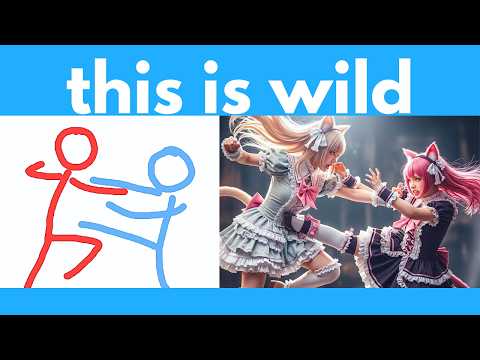
Seedream 4.0 Full Feature Overview and Character Consistency
Author

Promote

Alternative tools

ImageHub brings AI image generation, editing, enhancement, and virtual try-on tools together in one browser workspace operated by QUEST LABS LIMITED.
2026-09-27
Free / 3 tasks/day

Compose images, stage 3D scenes, edit video timelines, and generate digital artwork from text prompts or reference pictures in a unified creative browser workspace.
2026-10-31
Freemium / $29.90/mo

Melhorar Imagem is an AI image enhancer and upscaler that restores blurred photos, increases resolution up to 8x, reduces noise, and balances colors online.
2026-10-22
Free / $3.90/mo

Krea AI is a real-time AI visual generation platform featuring 60 FPS canvas rendering, 8K generative upscaling, AI video creation, and logo visual illusions.
2026-08-22
Freemium / $9-$30/mo

Photoroom is an AI photo editor and background eraser for e-commerce product staging, batch background removal, realistic 3D shadows, and generative scenes.
2026-08-22
Freemium / $7.50-$26.99/mo


ChatGPT Images is OpenAI's conversational image generation feature powered by DALL-E 3, supporting inpainting, aspect ratio controls, and conversational editing.
2026-08-22
Freemium / $20