

WhatGPT is an AI conversational assistant embedded directly into WhatsApp. Powered by OpenAI language models, the bot provides concise mobile-tailored answers, quick-reply suggestions, and real-time web research links within everyday chat threads without requiring app installations or browser logins.
Starting price Free / $7.99

Tool Information
Overview & architecture
WhatGPT is an artificial intelligence messaging assistant that embeds large language model capabilities directly into the WhatsApp messaging ecosystem. Operating via cloud webhooks and official WhatsApp Business communication protocols, the platform connects users to OpenAI GPT conversational models without requiring standalone smartphone apps, desktop clients, or separate account logins. Users initiate interaction by sending a message to the WhatGPT WhatsApp contact number or clicking a direct wa.me link, creating an immediate conversational channel inside their everyday messaging feed.
The system architecture functions as an optimized middleware bridge between the WhatsApp Cloud API and upstream LLM inference endpoints. When a user sends a text query or prompt, the WhatGPT ingestion service parses the message, manages conversational context windows, and formats the prompt for low-latency language model processing. The response pipeline applies conversational tuning to generate concise, mobile-optimized answers tailored for mobile chat bubbles. Rather than returning long multi-paragraph essays by default, the assistant delivers direct answers accompanied by quick-reply action chips that allow users to drill down into specific subtopics with minimal typing.
In addition to basic text conversations, WhatGPT incorporates real-time web retrieval features. When queries require external references or verified sources, the system queries search engines and returns relevant source URLs directly in the chat thread. The entire experience requires zero local installation or browser authentication, removing barriers such as expired sessions, captchas, and mobile operating system incompatibilities.
Key capabilities & modules
WhatGPT structures its conversational toolset around features optimized for mobile instant messaging:
- Zero-installation WhatsApp access: Users engage with the assistant through standard WhatsApp contact threads on iOS, Android, and WhatsApp Web without downloading extra software or managing separate login credentials.
- Concise mobile answer formatting: Responses are calibrated specifically for mobile chat windows, delivering direct answers, structured bullet points, and brief explanations that prevent message clutter.
- AI quick reply suggestions: After delivering an answer, the bot presents curated quick-reply buttons and follow-up prompts, enabling creators and students to explore complex subjects through simple tap selections.
- Integrated web research: The assistant can fetch live web links and references for queries that require source verification or external reading materials.
- Multilingual conversational support: Users can interact in dozens of global languages, translating messages, drafting bilingual correspondence, and practicing conversational language skills natively within WhatsApp.
- Always-available session state: Unlike web chat interfaces that expire after periods of inactivity, the WhatsApp thread remains persistently available in the user chat history.
Competitor comparison table
The table below compares WhatGPT with other WhatsApp AI assistants across critical operational criteria:
Practical use cases & target audiences
WhatGPT serves users who prefer accessing conversational intelligence within their daily chat client:
- On-the-go quick research: Busy professionals and students can look up factual definitions, technical summaries, recipe instructions, or travel itineraries directly while commuting without opening a mobile web browser.
- Drafting and message refinement: Users can ask WhatGPT to polish professional WhatsApp messages, draft client follow-ups, or rephrase casual notes into polite business correspondence.
- Multilingual communication: Travelers and international business operators can paste foreign-language text into the thread for instant translation, cultural nuance checks, and grammar corrections.
- Brainstorming and ideation: Solo entrepreneurs and content creators can quickly brainstorm marketing hooks, video titles, and meeting agendas directly from their mobile chat inbox.
Hardware, quota & file limitations
Users should be aware of specific constraints inherent to third-party messaging integrations:
- Message quota restrictions: The free tier includes an initial allowance of 5 messages. Continuous daily usage requires upgrading to the Plus tier at $7.99 per month for unlimited messaging.
- Platform dependency: Operation requires an active WhatsApp account and internet connectivity. Platform maintenance or outages affecting Meta’s WhatsApp infrastructure directly impact bot responsiveness.
- Context memory boundaries: While the assistant retains immediate conversational context, very long chat threads with dozens of unrelated topics may experience context window truncations common to standard LLM endpoints.
- Absence of native multimodal document editing: The platform focuses primarily on short-form text queries and web link retrieval, rather than heavy PDF manipulation or raw spreadsheet generation.
- Privacy and data routing: Messages travel across WhatsApp servers and third-party AI inference gateways. Sensitive corporate credentials or strictly confidential personal data should not be shared via consumer messaging bots.
Pricing breakdown table
WhatGPT offers a straightforward two-tier pricing structure managed via Stripe billing:
*Pricing and plan details verified as of October 2026.
Implementation & onboarding pipeline
Getting started with WhatGPT requires four straightforward steps without installing external software:
- Open the WhatsApp connection: Visit the official portal at whatgpt.app and tap the connect button, or navigate directly to the automated WhatsApp contact link at api.whatgpt.app/start.
- Initiate the initial prompt: Send a greeting or your first question into the chat thread to trigger the automated bot setup and receive your free trial allocation.
- Interact using quick replies: Read the concise responses and tap suggested quick-reply buttons to explore related conversation branches or request web reference links.
- Upgrade to unlimited messaging: When reaching the free message limit, follow the provided subscription link to activate the Plus tier via secure Stripe checkout for unrestricted daily messaging.
Structured editorial verdict
- Best for: Mobile users, international travelers, and casual knowledge seekers who want instant access to ChatGPT inside WhatsApp without juggling separate app downloads, logins, or browser tabs.
- Not recommended for: Enterprise developers or corporate analysts who need complex coding environments, multi-file data uploads, or secure on-premise privacy sandboxes.
- Learning curve: Non-existent. Interacting with WhatGPT is identical to chatting with any friend or contact on WhatsApp.
- Value threshold and ROI: At $7.99 per month for unlimited messaging, the service is more affordable than OpenAI’s standard $20.00 ChatGPT Plus plan for users whose primary need is mobile-first conversational assistance.
- Bottom line: WhatGPT offers a lightweight, convenient bridge between generative AI and everyday mobile messaging. By focusing on concise answers and tap-driven follow-ups, it turns WhatsApp into an accessible, round-the-clock digital assistant.
F.A.Q
Pros and Cons
Pros
- Brings generative AI conversation directly into WhatsApp with zero app installations
- Optimized response formatting delivers concise answers tailored for mobile chat bubbles
- Quick-reply suggestion chips minimize typing when exploring complex topic branches
- Supports multilingual translation and question answering across over 20 languages
- Affordable monthly pricing at $7.99 per month for unlimited messaging
Cons
- Free tier is restricted to an introductory trial allowance of 5 messages
- Lacks complex file attachment processing such as PDF analysis or code execution
- Requires an active WhatsApp account and stable cellular or Wi-Fi data connection
- Dependent on Meta WhatsApp API infrastructure for message delivery and uptime
Reviews
There are no reviews yet. Be the first one to write one.
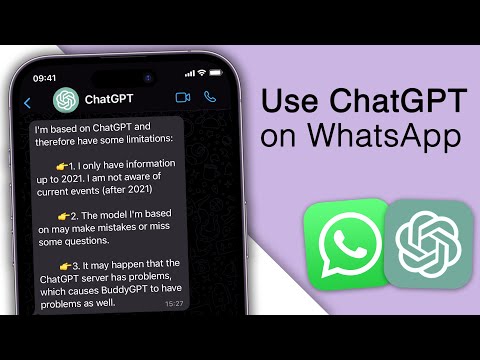
How to Use ChatGPT on WhatsApp Free

How to Use ChatGPT on WhatsApp! [4 Methods]
Author

Promote

Alternative tools

Venice AI is a privacy-first generative intelligence platform and uncensored API service delivering unrestricted text, code, image, and multimedia inference without server-side prompt logging.
2026-09-13
Freemium / $18.00/mo

Qwen AI by Alibaba Cloud is an open-weights AI family and free chatbot featuring Qwen3.8-Max (2.4T params), multimodal reasoning, and coding tools.
2026-08-22
Free / Open Source

Duck.ai by DuckDuckGo is a privacy-first AI chat aggregator offering anonymous, untracked access to Claude, GPT-5, and Mistral without requiring an account.
2026-08-22
Freemium / $9.99-$19.99/mo

GPTOnline is a free AI chat platform offering instant access to OpenAI conversational models without account registration, featuring 50+ writing templates.
2026-08-22
Free

DeepSeek is an open-weights AI ecosystem and assistant specializing in programming, mathematics, and logical reasoning via DeepSeek-V4 models.
2026-08-22
Free / Open Source

Google Gemini is a multimodal AI ecosystem powered by Gemini 3.1 Pro and Flash models for reasoning across text, code, video, audio, and images.
2026-08-22
Freemium / $19.99